Accounts required: one single agent, each with their own account
Hello,
Here is a new feature in Swiftask that solves a problem many of you know all too well.
You create an agent that manages emails seamlessly, you share it with your 80 team members... and everyone ends up in your inbox. Until now, you had to choose: either keep the agent to yourself or recreate it 80 times.
The new “Accounts required” feature fixes this. Anyone who opens the agent logs in with their own account. A single agent, but working within everyone’s personal workspace.
🔐 Your data stays yours. Everyone only sees their own inbox and files.
📧 Every action carries the right name. An email is sent directly from the person who requested it.
🔑 Company permissions apply automatically. No extra setup needed.
🛠️ One single configuration, done once and for all.
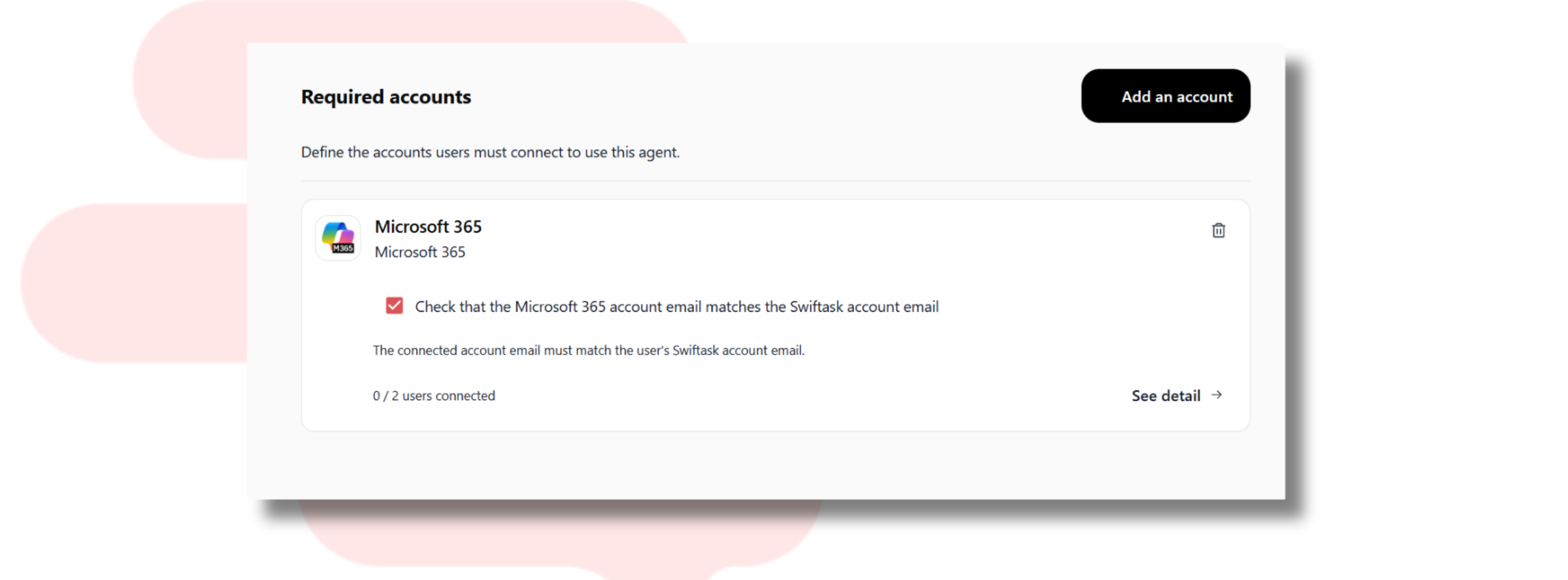
Take, for example, a company using Microsoft 365 that connects an agent to Outlook to sort emails and draft responses. The administrator goes to Accounts required, shares the agent, and everyone logs in with their usual Microsoft account. That’s it.
And… it works with all external connectors in Swiftask: Gmail, Slack, Notion, Salesforce, HubSpot, and more.
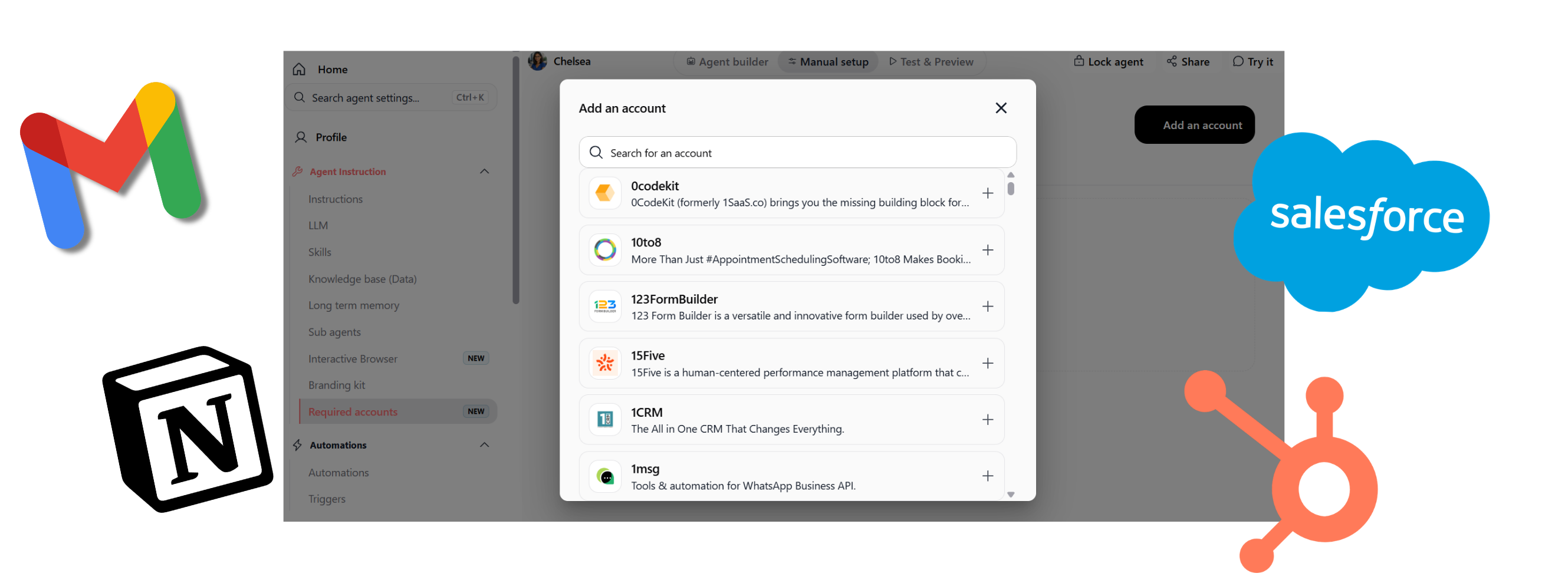
The concept stays the same everywhere: a shared agent, individual accounts, and data that never overlaps.
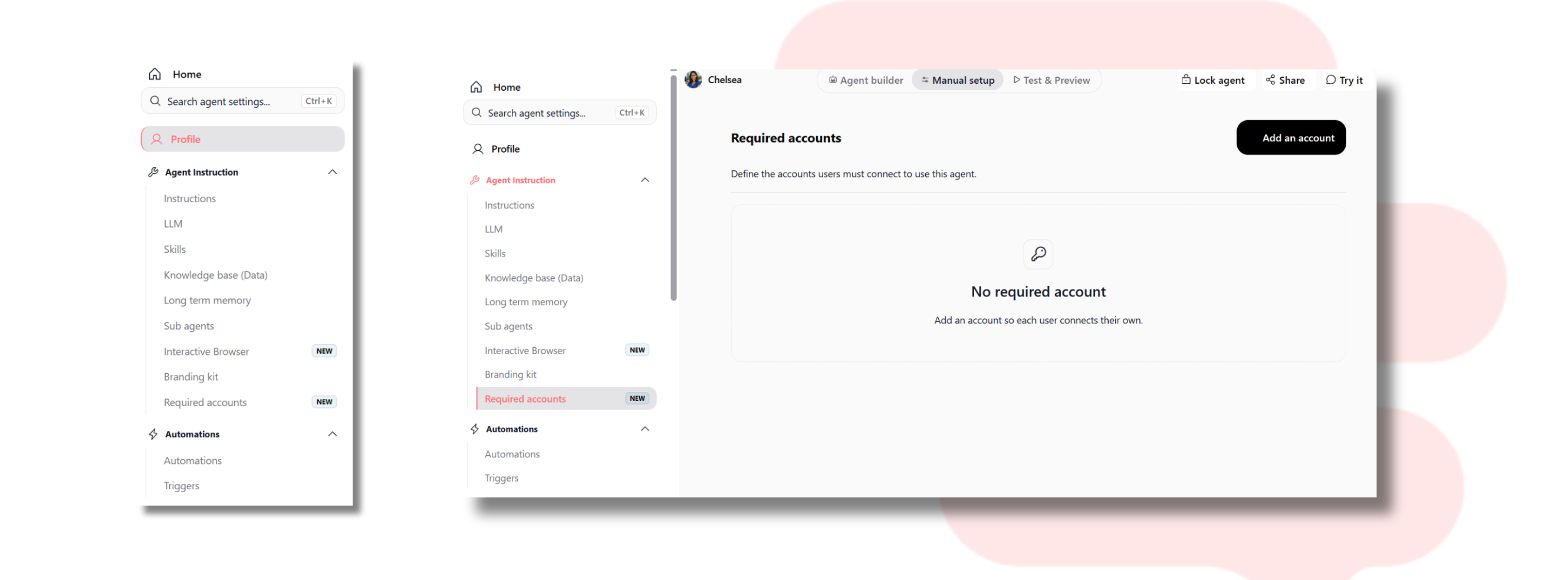
📍 Where to find it: Agents > Configure Agent > Agent Instructions > Accounts required. Add the accounts to connect, and everyone will link theirs when they first use it.
Enjoy discovering this new feature on Swiftask!